

Automated bidding sounds appealing: you set a goal, and Google decides how much to pay for each click. But there is a condition people forget: the strategy learns from your leads. With few leads there is nothing to learn from, so it learns from chance. Three leads in a month is not a pattern but a coincidence: a week with two calls, a week with none.
In this article: which number we use as our benchmark, what Google writes about it and what practitioners say (they do not agree), where to find the figure in your own account, and what to do if you have fewer leads for now. We give menu names as in the Google Ads Help in English, checked on 20 October 2026; your version of the account may differ slightly. The word “conversion” here simply means “an action on your website that the account counts as a result of the ads”, in other words a lead.
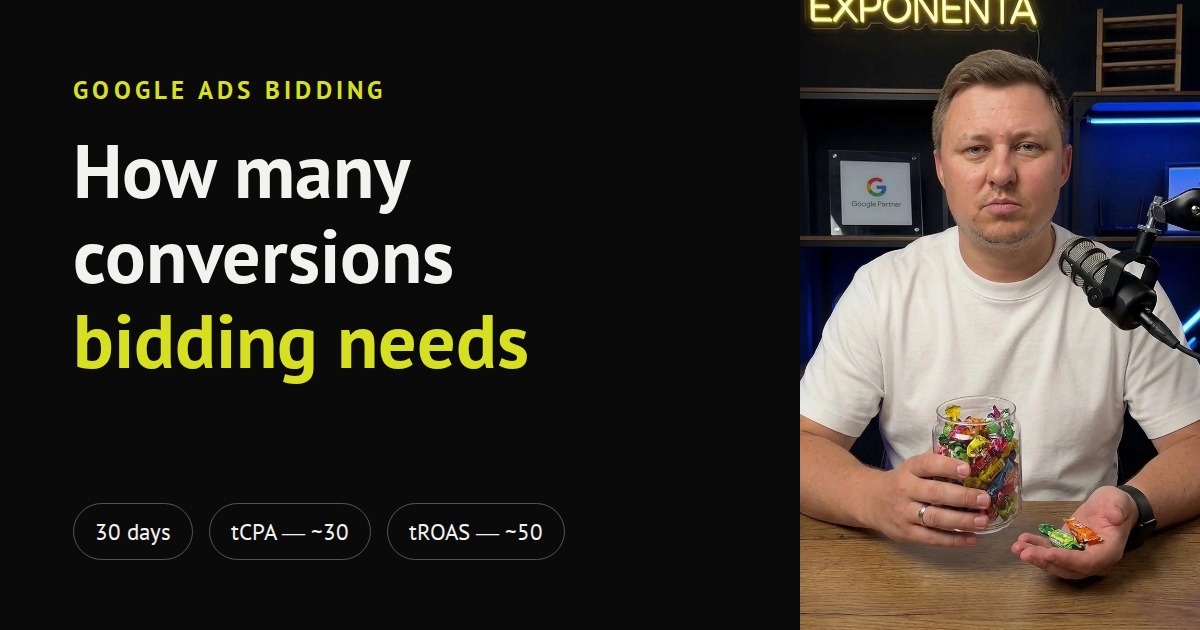
Our benchmark: 30 and 50 in 30 days
This is our own rule, adopted on 20 September 2026. It is not a Google requirement, and that is important to understand right away.
- A cost-per-lead goal (in the account, Target CPA, or tCPA: you set how much you are willing to pay for one lead). Benchmark: about 30 conversions in the last 30 days.
- A return goal (Target ROAS, or tROAS: you set how much revenue you want for every dollar of ads). Benchmark: about 50 conversions in 30 days, and each one must have the purchase amount passed along.
- Fewer: we do not switch to an automated strategy. First we build up volume or stay on simpler settings (more on those below).
Why the return goal is stricter. The cost of a lead is one number per conversion. For return, the algorithm also has to guess which lead will bring a large sum and which a small one. That takes more examples. This is our explanation and our experience, not a quote from the Help.
What Google says and what practitioners say
The numbers differ here, and we will not pretend otherwise.
Google’s Help on Target ROAS bidding requires, for Search and Shopping campaigns, at least 15 conversions in the past 30 days at the conversion tracking level. For Display campaigns it is also 15, for Video action campaigns 30, for Demand Gen 50 in 35 days within a campaign or 100 across the account. A conversion must have a value above zero, or it will not count. The figure “about 50” for Search does not appear in the current Help.
Google’s Help on Target CPA bidding sets no hard minimum: “Advertisers can start using Target CPA with no conversion history.” There is, however, advice for evaluating it: “For evaluation, we recommend you measure performance for the last 30 days, including at least 30 conversions.” So 30 is the number Google suggests for judging whether the strategy works, not a mandatory condition for starting.
Practitioners (colleagues who run ads every day, and industry chats) answer differently: some name 20–30 “clean” conversions in 30 days as the minimum, others write about 10–20, below which the strategy “may simply not work”. “Clean” means real leads, not accidental taps on a phone number or duplicates. These tips have no primary source: this is experience, not documentation.
So our 30 and 50 are a higher bar than Google’s Help for tROAS and than most practitioners. We set it deliberately: in our experience, at 15–20 leads the result depends too much on one good or bad week. But if you found a lower number in Google’s Help, Google is not wrong. We simply keep a margin.
Where to find your number
- In Google Ads, open “Campaigns” and select the “Campaigns” table.
- In the upper-right corner, click the date range and choose the last 30 days. The table updates right away.
- Click the columns icon and add the “Conversions” column if it is not there yet.
- Look at the number next to the campaign you need. That is your conversions for 30 days.
Two important details. First, the “Conversions” column counts only the actions marked “Primary” in the settings. The automated strategy learns from those. Secondary actions go to a separate column with all conversions and do not affect bidding. To check which actions are primary: “Goals” → “Conversions” → “Summary”. More on this in the article what your ads count as a lead.
Second, look at each campaign separately: a hundred leads across the whole account do not mean they are in the campaign that has three. And check that these conversions are real: if duplicates reach the account, 30 “leads” may actually be ten.
Why “fewer” is risky
When there is little data, the algorithm adjusts to random coincidences. For example, two leads came from a phone late in the evening, and it starts bidding more on exactly that coincidence. Then come two typical outcomes: either the system is afraid to take risks and underspends the budget (few impressions, even fewer leads), or, on the contrary, it burns money on what looks like a pattern. Hence the words in the video: it learns from noise.
Note something else too: after changing a strategy or target, Google advises waiting 1-2 conversion cycles (the time from click to lead). If your cycle is two weeks and you get thirty leads a month, you will see the first conclusions only after a while. A hasty “switched, it does not work, switched back” just eats those weeks.
What to do if you have fewer conversions
1. First, fix how leads are counted. If leads come from ads but the account shows three, they may simply not be counted there. Check that submitted forms and calls reach the account (see the article on why ads learn from leads, not sales). This often gives more than any strategy.
2. Stay on manual bids or on Maximize conversions. According to Google’s Help, this strategy only requires conversion tracking to be set up and does not ask for a minimum history. It spends the whole budget to get as many leads as possible, with no target price. Practitioners use it as a bridge: build up volume first, set a target later. But Google’s Help recommends Target CPA when you have a specific goal, so once the volume is there, move over.
3. Increase volume. Few leads because the budget is split across several small campaigns? Practitioners advise merging: one campaign collects data faster than five. There is also the opposite view: separate campaigns give you control over each service. So decide by your own numbers. How the price of a lead grows with budget we covered separately.
4. Micro-conversions: careful. People advise adding “intermediate” actions (a tap on a phone number, a product in the cart) to reach the count. There is a catch: if you mark them “Secondary”, they give the ads nothing: according to Google’s Help, “These conversion actions are for observation only”. To teach the strategy they would have to be primary, and that is a risk: you will teach the ads to look for people who click, not buy. Our position: we do not add click conversions to primary (duplicates and accidental taps), and we build on forms, call tracking and offline conversions from your CRM. Practitioners differ here as well, so this is your decision, not a rule.
Summary
Automated bidding needs data. Our benchmark: about 30 conversions in 30 days for a cost-per-lead goal and about 50 for a return goal; this is our rule, not a Google requirement, and it is stricter than the Help (for tROAS on Search, Google writes 15) and than practitioners’ advice (20–30). With fewer, do not switch: for now fix how leads are counted, stay on manual bids or Maximize conversions, and increase volume.
Check your own number: “Campaigns” → date range of 30 days → “Conversions” column. How we run advertising is in the sections on search advertising and Performance Max.
Want a free audit of your Google Ads account? Send us a request: we will look at your account, count the 30-day conversions for each campaign and tell you whether it is time to turn on automated bidding.